
Magi 2 (MAGI-2) Explained: Specs, Price and Where to Use It
Magi 2 is Sand.ai's audio-video model, out November 24, 2026: 30-second 1080p clips with lip-synced dialogue. Specs, price, API access and how to use it.
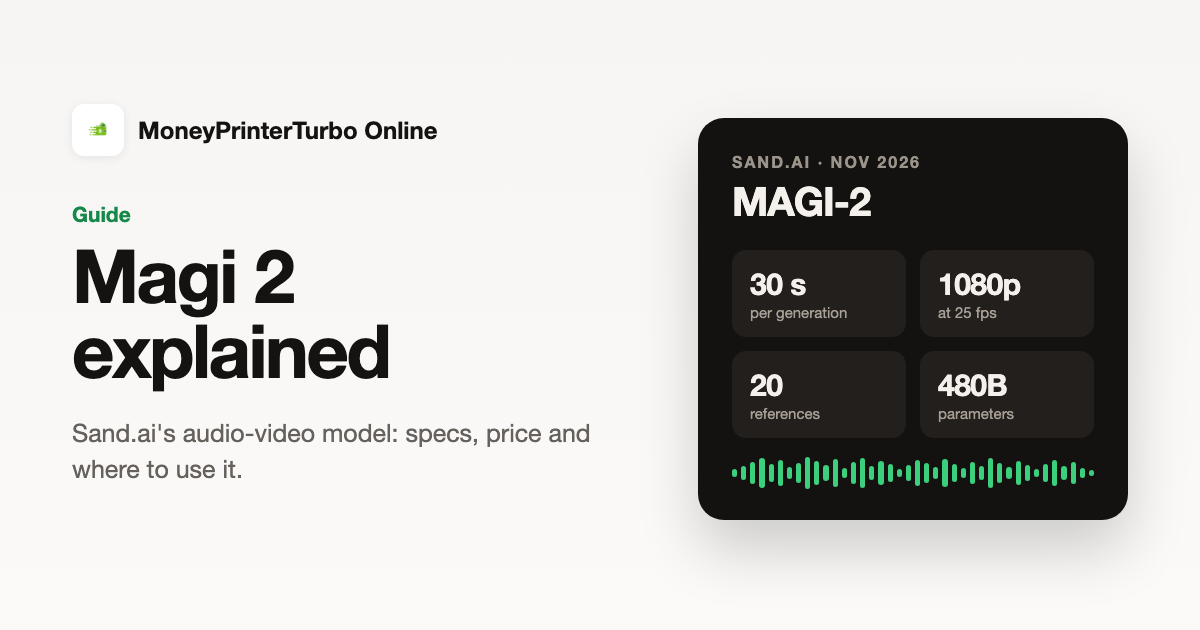
Magi 2 (written MAGI-2 by its maker) is an AI video model from Sand.ai, released on November 24, 2026. From one prompt it generates up to 30 seconds of 1080p video at 25 fps, with sound made in the same pass: lip-synced dialogue, sound effects, ambience and music. It accepts text, a start image, or up to 20 reference files. At launch it is a hosted model. Sand.ai says open weights will follow, but they are not out yet.
This guide covers what Magi 2 can do, what it costs, where you can use it today, and where it fits if you make faceless short videos. Every spec below comes from Sand.ai's launch post or its launch partner's model page, linked in the sources at the end.
Magi 2 at a glance
| Magi 2 (full model) | MAGI-2 Preview | |
|---|---|---|
| Released | November 24, 2026 | August 5, 2026 |
| Size | 480B parameters, about 28B active | 114B parameters, about 6B active |
| Length | Up to 30 seconds (4 seconds minimum on Higgsfield) | 10 seconds only |
| Resolution | 1080p, 25 fps | Generated at 512×896, upscaled to 1080p |
| Inputs | Text, start and end frame, up to 20 references | Text, or text plus one start image |
| Audio | Dialogue with lip-sync, foley, ambience, music | Synchronized audio in the same pass |
| Shot control | Timeline and shot cuts described in the prompt | Not offered |
| Weights | Not released yet ("open-source releases" promised) | Open, Apache 2.0, on Hugging Face |
What is new in Magi 2
Longer clips in one generation. Most video models stop at 5 to 15 seconds. Magi 2 goes to 30 seconds in a single request, which is enough for a complete short scene, or half of a YouTube Short.
Sound is part of the model, not an add-on. Sand.ai describes Magi 2 as a native audio-video model. Speech comes out lip-synced to the character on screen, and footsteps, room tone and music are generated alongside the picture. You can still switch sound off if you plan to add your own voiceover.
Reference-driven generation. One request can carry up to 20 references: 10 images, 5 video clips and 5 audio clips. That lets you pin a character's face, a product, a camera move or a voice instead of describing them in words and hoping.
Cuts inside one clip. You can describe shot changes in the prompt ("close-up of the hands, then cut to a wide shot of the workshop"), and the model follows a timeline rather than producing one continuous take.
How good is it?
Sand.ai reports a 4-task average Elo of 1150.3 on the Artificial Analysis Video Arena (v2.1), up from 998.5 for MAGI-2 Preview. That number is Sand.ai's own report. Higgsfield, the launch partner, runs a separate blind leaderboard judged by directors, animators and designers, where MAGI-2 placed second at 1146, behind Seedance 2.5 at 1219. The two scores use different methods, so do not compare them directly.
Sand.ai is also open about the weak spots:
- Very fast motion can cause trajectory or continuity glitches.
- Medium and wide shots of 2D animation can look too smooth.
- Complex soundscapes are less layered and less physically realistic than real recordings.
In practice, keep each clip to one or two clear actions, and plan to regenerate the occasional shot.
Where you can use Magi 2 today
At launch, Magi 2 is not open source, so you cannot run it on your own GPUs. There are three ways in:
- Higgsfield. Higgsfield announced MAGI-2 as a launch exclusive on its platform and API. Its API lists text-to-video, image-to-video and reference-to-video, priced at $0.08 per second of 1080p output, so a 30-second clip costs $2.40. Each account can run one MAGI-2 generation at a time.
- A browser generator. If you just want to type a prompt and get a clip, magi2.cc is a Magi 2 AI video generator that runs in the browser, with no install and no API keys. Its pricing page lists 100 free credits for new accounts with no card, and plans from $19.90 a month. It also offers other video models next to Magi 2, which is handy for comparing the same prompt across models.
- For developers. Before you write code against Magi 2, check which endpoints actually exist. The Magi 2 API guide at magi2api.app collects the model's specs, the access routes that are live today and what each one supports, and is upfront that there is no general public API from Sand.ai yet.
If you want to self-host, the earlier MAGI-2 Preview is open under Apache 2.0 on Hugging Face. Be realistic about the hardware: the checkpoints are about 307 GB and Sand.ai's model card calls for eight NVIDIA Hopper GPUs. It is limited to 10-second clips.
Writing a good Magi 2 prompt
Because Magi 2 handles picture, sound and cuts together, a prompt works best when it covers all three, in order:
- Shot and subject: "Medium shot, an elderly clockmaker at a cluttered workbench, warm lamp light."
- Action, one or two beats: "He lifts a tiny gear with tweezers and holds it up to the light."
- Sound: "Soft ticking from dozens of clocks, a kettle starting to whistle off-screen."
- Dialogue, if any, in quotes: He says quietly, "Almost there."
- Cuts, if any: "Cut to a close-up of the gear clicking into place."
For a recurring character or product, use a reference image instead of describing it every time. For a voice you want to keep, attach a short audio reference.
Where Magi 2 fits in a faceless short-video workflow
A faceless channel needs four things for every video: a script, visuals, a voice and captions. Magi 2 is strongest at the visuals, and it can cover the voice too when the voice belongs to a character on screen.
- Hero shots instead of stock footage. Stock clips matched by keyword look the same on every channel. Generating the two or three shots your script really depends on, and filling the rest with footage, keeps costs down while making the video look original.
- Narration still works better as a separate track. For a narrated explainer, generate Magi 2 clips with sound off or with ambience only, then lay one consistent narrator voice and captions over the whole edit. A model voice can drift between separate 30-second generations.
- Budget per finished second. At $0.08 a second on Higgsfield's API, a 60-second Short made entirely of Magi 2 footage costs about $4.80 in generations, before any retakes.
If you would rather go from topic to a finished, captioned short without stitching tools together, MoneyPrinterTurbo Online writes the script, matches the footage, voices it and adds captions and music in one step. For other ways to set up a topic-to-video workflow, see MoneyPrinterTurbo alternatives.
Magi 2 FAQ
Who made Magi 2? Sand.ai, the team behind MAGI-1 (an autoregressive video model from April 2025) and MAGI-2 Preview (August 2026).
Is Magi 2 open source? Not yet. Sand.ai says open-source releases and a technical report will "follow up soon." The smaller MAGI-2 Preview is already open under Apache 2.0.
How long can a Magi 2 video be? Up to 30 seconds per generation, at 1080p and 25 fps. Higgsfield sets a 4-second minimum.
Does Magi 2 generate sound? Yes. It produces dialogue with lip-sync, sound effects, ambience and music together with the video, and sound can be switched off.
How much does Magi 2 cost? On Higgsfield's API it is $0.08 per second of output, so $2.40 for a 30-second clip. Browser generators such as magi2.cc sell credits instead, with a free allowance to try it.
Is there a Magi 2 API? Higgsfield's API offers text-to-video, image-to-video and reference-to-video. Sand.ai also runs its own API platform, but its launch post gives no public price. magi2api.app tracks which routes are open.
Magi 2 or Seedance 2.5? On Higgsfield's blind leaderboard, Seedance 2.5 currently ranks higher. Magi 2's advantages are its 30-second length, audio generated in the same pass, and the 20-reference input. Try the same prompt on both before you commit a channel to either.
Sources
- Sand.ai, MAGI-2 launch post (November 24, 2026)
- Sand.ai, MAGI-2 Preview post (August 5, 2026)
- Hugging Face, sand-ai/MAGI-2-preview model card
- Higgsfield, MAGI-2 introduction and MAGI-2 API page