MoneyPrinterTurbo OnlineMoneyPrinterTurbo Online
  • Features
  • Pricing
  • FAQ
MoneyPrinterTurbo OnlineMoneyPrinterTurbo Online

AI short video generation website

Product
  • Features
  • Pricing
  • FAQ
Guides
  • How to use MoneyPrinterTurbo
  • MoneyPrinterTurbo GitHub
  • MoneyPrinterTurbo APK
  • MoneyPrinterTurbo download
  • MoneyPrinterTurbo review
  • Blog
Open-source tools
  • Open-source AI video generators
  • MoneyPrinter Online
  • MoneyPrinterV2 Online
  • ShortGPT Online
  • Pixelle-Video Online
  • MoneyPrinterPlus Online
Company
  • About
  • Contact
Legal
  • Cookie Policy
  • Privacy Policy
  • Terms of Service
© 2026 MoneyPrinterTurbo Online. All Rights Reserved.
  1. Home
  2. Open-source AI video generators
  3. Pixelle Video Online

Pixelle Video, explained

Pixelle Video: the AI short video engine, and how to use one online

Pixelle Video is an open-source engine that turns one topic into a narrated short, with an AI picture for every sentence. You install it yourself. Here are its demos, the download and setup steps, and an online alternative with nothing to install.

Make a video online
Read more

The online studio runs on the MoneyPrinterTurbo engine with real stock footage, not on Pixelle Video code. Not affiliated with the Pixelle-Video authors.
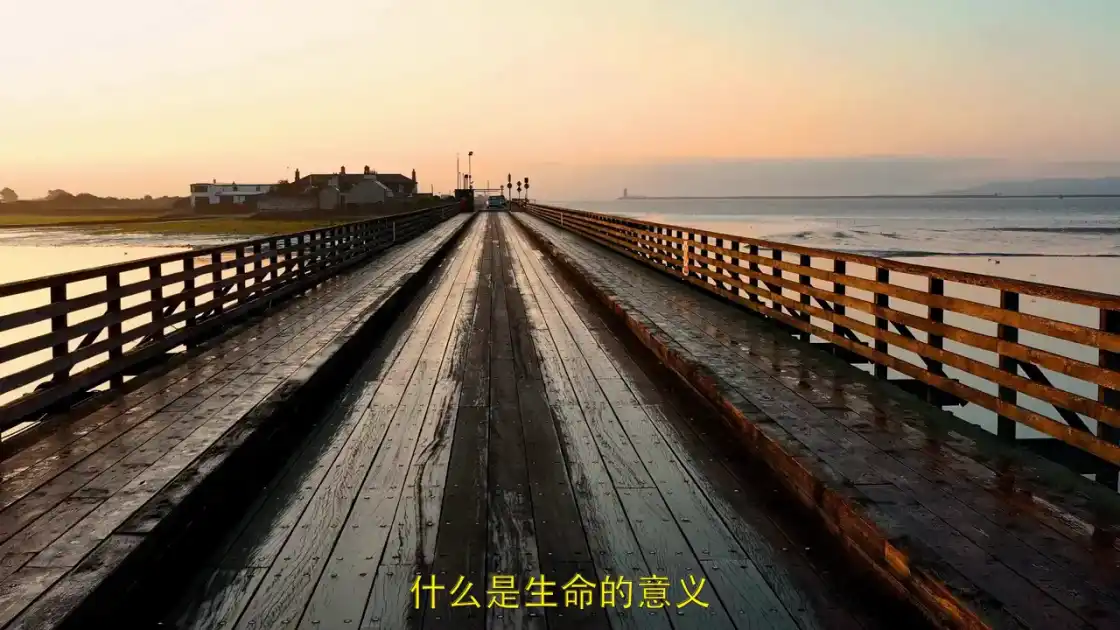
A short video made online from one topic, the same job Pixelle Video does

What is Pixelle Video?

Pixelle Video (written Pixelle-Video on GitHub) is an open-source “AI fully automated short video engine”. You enter a topic and Pixelle Video writes the script, generates an AI image or AI clip for every sentence, adds a voiceover and background music, and assembles the video. It runs on your own computer.

The Pixelle Video GitHub repo belongs to ATH-MaaS, the Model-as-a-Service team inside Alibaba Token Hub. It first appeared under AIDC-AI, and that old address still redirects.
Pixelle Video on GitHub
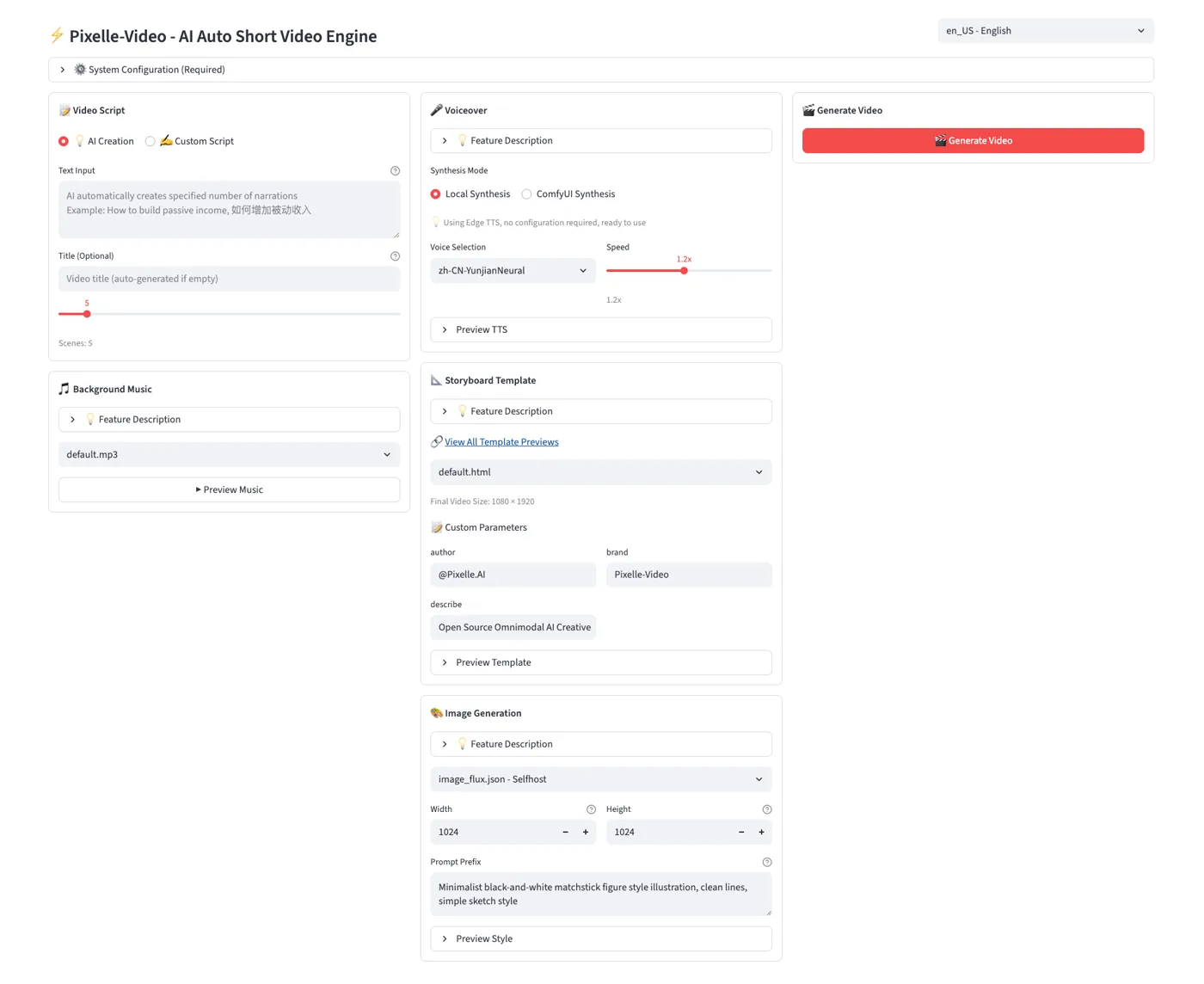
Pixelle Video web UI: video script, voiceover, storyboard template and image generation panels
The Pixelle Video web UI, from the project README.
GitHub stars
About 30,000
License
Apache-2.0
Latest release
v0.1.15, January 2026
Last code push
June 14, 2026

Pixelle Video demos, from its GitHub README

These four shorts were made with Pixelle Video and published by its authors. Each sentence gets its own AI-generated picture, the look Pixelle Video is known for. The narration is in Chinese.
Pixelle Video demo: The Scenery Along the Journey
Pixelle Video demo: Why Haven’t We Found Aliens Yet?
Pixelle Video demo: Understanding Antifragility
Pixelle Video demo: Wellness Tips (Qwen images)
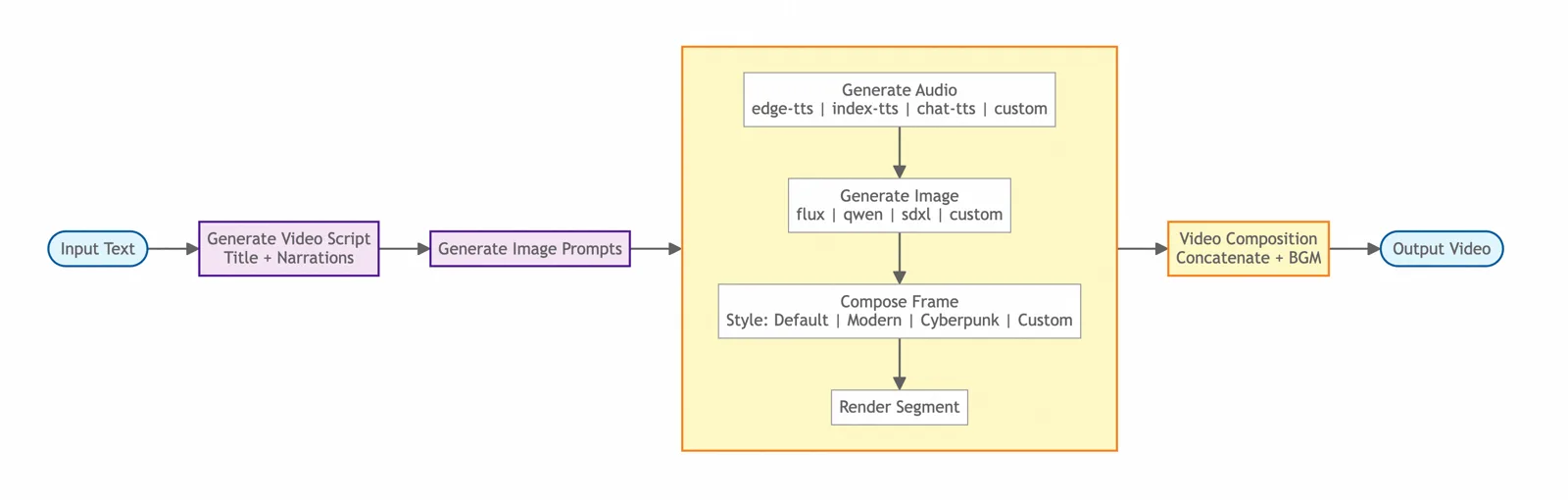
Pixelle Video generation flow: script, frame planning, image or video generation, voice and final composition
How Pixelle Video builds a video, step by step.

Videos and diagram from the Pixelle-Video README, Apache-2.0. They show Pixelle Video output, not videos made on this site.

Pixelle Video download and setup

To download Pixelle Video on Windows, get the all-in-one package from the GitHub releases page; it needs no Python or ffmpeg. On macOS and Linux you install from source with uv and ffmpeg. Either way you then connect a language model and something to draw the pictures.

  1. 1Download the Windows package

    Open the latest release and download Pixelle-Video-v0.1.15-win64.zip, about 380 MB, then extract it and double-click start.bat. Your browser opens http://localhost:8501.

  2. 2Or run Pixelle Video from source

    Needs Python 3.11 or later, the uv package manager and ffmpeg.

    git clone https://github.com/ATH-MaaS/Pixelle-Video.git
    cd Pixelle-Video
    uv run streamlit run web/app.py
  3. 3Fill in System Configuration

    Add an LLM key (Qwen, GPT or DeepSeek, or a local Ollama model). Then set up the visuals: a local ComfyUI, a RunningHub API key, or an image API such as OpenAI, DashScope or Kling.

  4. 4Enter a topic and click Generate Video

    The docs say a 5-scene video takes about 2 to 5 minutes, depending on the services you connected.

Common Pixelle Video problems

Pixelle Video is in use, with about 150 open issues, but its last code push was June 14, 2026. These come up most.

The Windows package is old

The download is v0.1.15 from January 2026, while the Pixelle Video source is at 0.2.0. A request for a new package is still open.

ComfyUI is set, it asks for RunningHub

Several open issues report Pixelle Video sending work to a cloud provider even with a local ComfyUI configured.

Voice errors

The default Edge-TTS can fail on an unstable network. The FAQ suggests switching to a ComfyUI TTS workflow.

Support is in Chinese

Most issue threads are in Chinese, and the README’s documentation link returned a 404 when we checked.

A Pixelle Video alternative with nothing to install

If you want the result and not the setup, the online studio does the same job from one line of text. One real difference: it uses stock footage where Pixelle Video draws AI images. Real users made these eight. Tap one to play it with sound.

English
العربية
हिन्दी
English
Português
English
English
English

Videos by MoneyPrinterTurbo Online users. Footage from Pexels.

Make a video online

How to make a Pixelle Video style short online

Open the studio, type a topic, pick a voice, a size and a caption style, then generate and download the MP4. It takes a few minutes, with no ComfyUI and no API keys. The full walkthrough is in how to use MoneyPrinterTurbo.
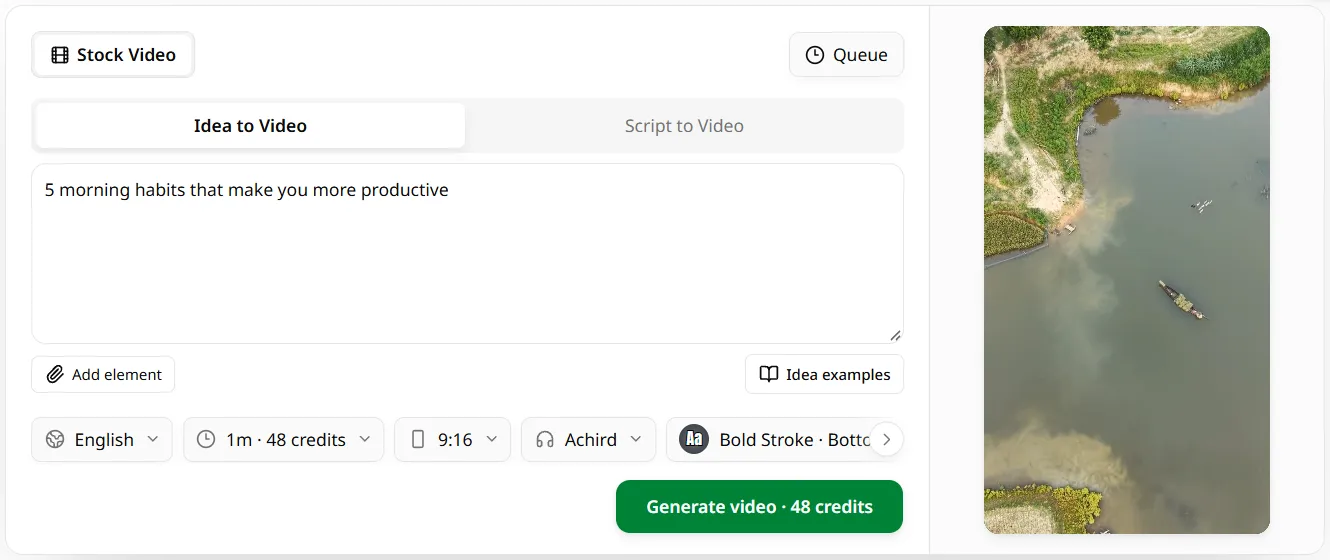
  1. MoneyPrinterTurbo Online studio: the Idea to Video tab with a one-line topic typed in

    1Type a topic

    Sign in with Google or GitHub and describe the video in one sentence, the way you would start in Pixelle Video. Or paste your own script.
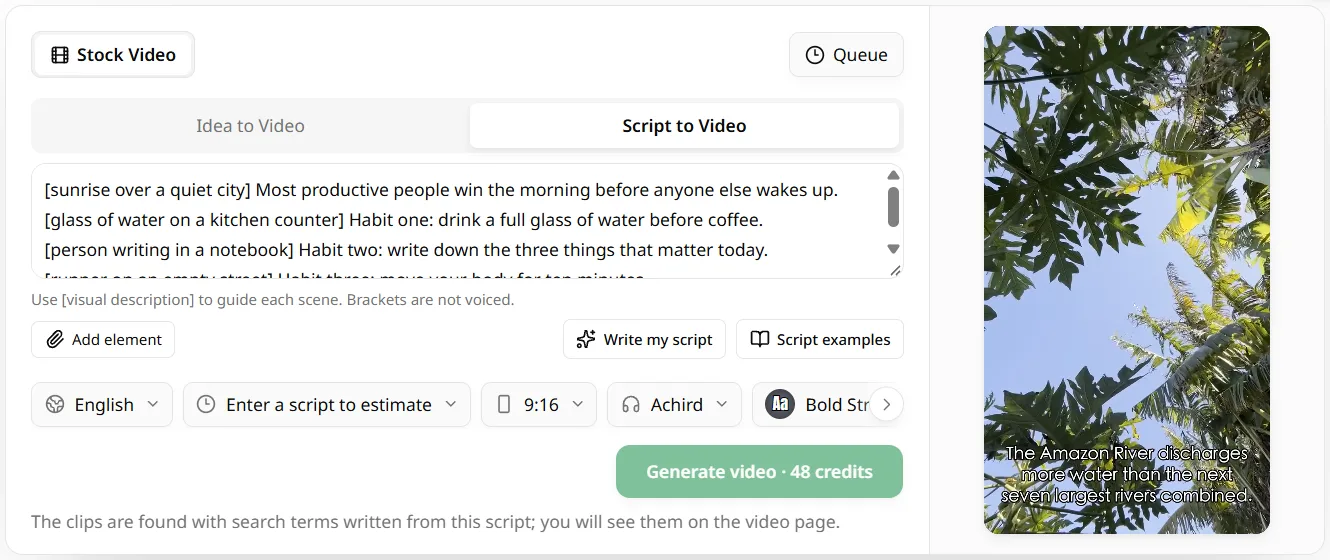
  2. MoneyPrinterTurbo Online studio: the Script to Video tab with a pasted narration script

    2Pick voice, size and captions

    Choose from 17 languages, a voice, 9:16, 16:9 or 1:1, a caption style and music. Pixelle Video asks for an image prompt here; the studio matches stock footage instead.
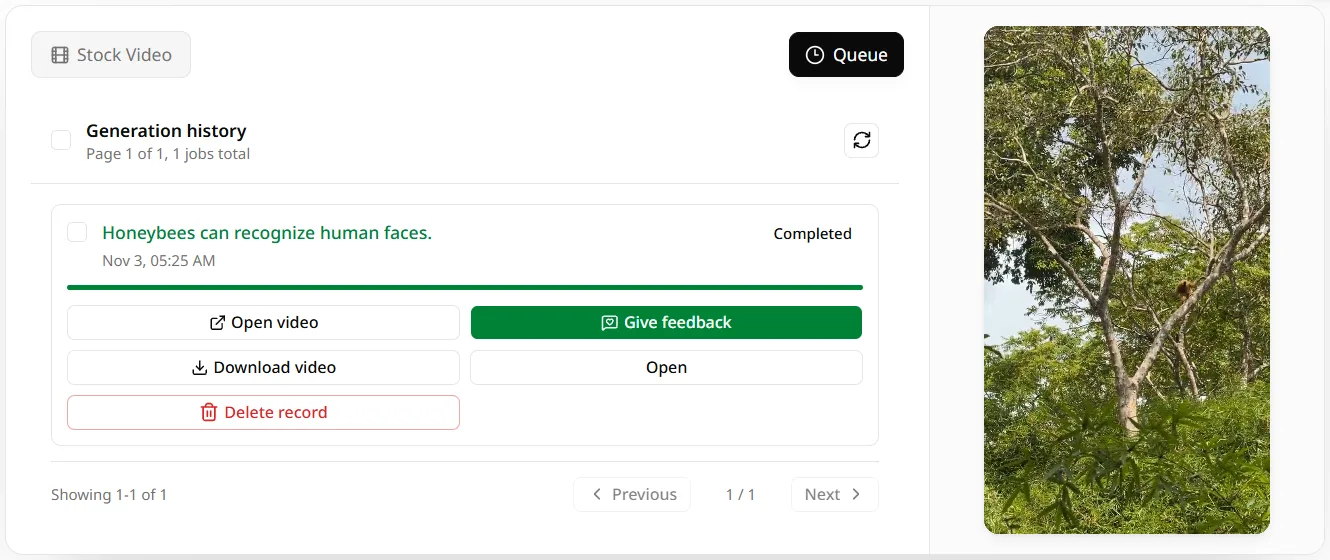
  3. MoneyPrinterTurbo Online studio: a finished video with Open video and Download video buttons

    3Generate and download

    The button shows the credit cost first. The video renders on our servers, then you download the MP4.

Not included online: AI-drawn images, AI video clips (Wan, Seedance, Kling), the digital human, image-to-video and motion transfer pipelines, voice cloning and custom templates. If those are why you searched for Pixelle Video, install Pixelle Video itself.

Is Pixelle Video free? What each route costs

Pixelle Video is free software under Apache-2.0, but the models behind it are not: cloud APIs charge per call, and a local ComfyUI needs a capable graphics card. Online, a new account gets 60 credits, about one one-minute video, and paid plans start at $9.90 a month.

Lite

The cheapest way to skip the free queue.

$9.9/month
1,000sec

of video every month

800 credits/mo·$0.59 per video minute

  • Longest video5 min
  • Queue priority

    Ahead of free users

  • SupportStandard

Starter

For trying faceless videos on a small monthly budget.

$19/month
2,500sec2.5× Lite

of video every month

2,000 credits/mo·$0.46 per video minute

  • Longest video5 min
  • Queue priority

    Ahead of Lite

  • SupportStandard

Basic

Best for creators starting with faceless content.

$39/month
6,250sec2.5× Starter

of video every month

5,000 credits/mo·$0.37 per video minute

  • Longest video15 min
  • Queue priority

    Ahead of Starter

  • SupportStandard
Most Popular

Pro

Best for creators who want to grow fast.

$69/month
12,500sec2× Basic

of video every month

10,000 credits/mo·$0.33 per video minute

  • Longest video15 min
  • Queue priority

    Ahead of Basic and Starter

  • SupportPriority
Best value

Max

Best for creators who want to grow super fast.

$119/month
25,000sec2× Pro

of video every month

20,000 credits/mo·$0.29 per video minute

  • Longest video30 min
  • Queue priority

    Front of the queue

  • SupportPriority

Every plan includes

  • AI script
  • HD stock footage
  • AI voiceover
  • Auto subtitles
  • Background music
  • Skip the free queue
  • Email when video is ready
  • Private workspace
  • Commercial use

Credit Packages

Purchase additional credits to use our services

Starter
2,000 Credits
$29
For trying a few videos, with priority generation.

Never expires

Basic
4,000 Credits
$49
Best for testing faceless video ideas.

Never expires

Popular
Standard
8,000 Credits
$89
For creating more short videos consistently.

Never expires

Premium
14,000 Credits
$139
For faster, higher-volume video production.

Never expires

Enterprise
30,000 Credits
$249
For teams producing content at scale.

Never expires

More open-source video tools

Pixelle Video is one of several topic-to-video projects. These pages cover the others.

Open-source AI video generators compared15 open-source projects side by side: stars, license, what each one makes.MoneyPrinterV2 OnlineMoney Printer V2 automates Shorts, a Twitter bot and more. The video part, online.ShortGPT OnlineThe Shorts automation framework by RayVentura, and how to skip the install.MoneyPrinter OnlineThe original MoneyPrinter GitHub repo by FujiwaraChoki, explained.MoneyPrinterPlus OnlineMoneyPrinterPlus batch-makes and auto-posts shorts. The generating part, online.MoneyPrinterTurbo on GitHubThe official repo, how to install it and common fixes.

Pixelle Video: common questions

Is there an official Pixelle Video online version?

No. As of November 11, 2026, Pixelle Video ships as a Windows package and as source code on GitHub. Its README and docs mention no hosted website or web demo. The studio on this page is independent and is not run by the Pixelle-Video authors.

Where is the Pixelle Video GitHub repo?

The Pixelle Video GitHub repo is github.com/ATH-MaaS/Pixelle-Video, with about 30,000 stars. The older address under AIDC-AI redirects there. The latest Pixelle Video release, v0.1.15 from January 2026, is a Windows all-in-one download of about 380 MB.

Do I need ComfyUI to use Pixelle Video?

Not strictly. Pixelle Video can generate its visuals three ways: a local ComfyUI, RunningHub cloud workflows, or direct API calls to image and video models. You need at least one of them, plus an LLM key, before Pixelle Video can make its first video.

Can Pixelle Video run without a GPU?

Yes, if the pictures are generated in the cloud through RunningHub or an image API. A GPU only matters for a local ComfyUI, where the docs recommend an NVIDIA card with 6 GB of VRAM or more. Text-only templates need no image generation at all.

What is a good Pixelle Video alternative?

For no install at all, the online studio on this page. For other open-source projects, MoneyPrinterTurbo and MoneyPrinterV2 do the same topic-to-video job with stock footage or AI images. The open-source AI video generator comparison on this site lists 15 options.

Try the Pixelle Video idea without installing anything

Type one topic, pick a voice and download a finished short. The first video is on us.

Make a video online
Open-source AI video generators